In this article
About this release
On September 28, 2026, we released version 4.2.15 of Segura® Platform. This release includes 29 changes across 12 modules.
- Release date: 2026-09-28
- Patch: segura | v4.2.15-1
For information on how to update Segura® Platform, see Update Segura®.
Release highlight
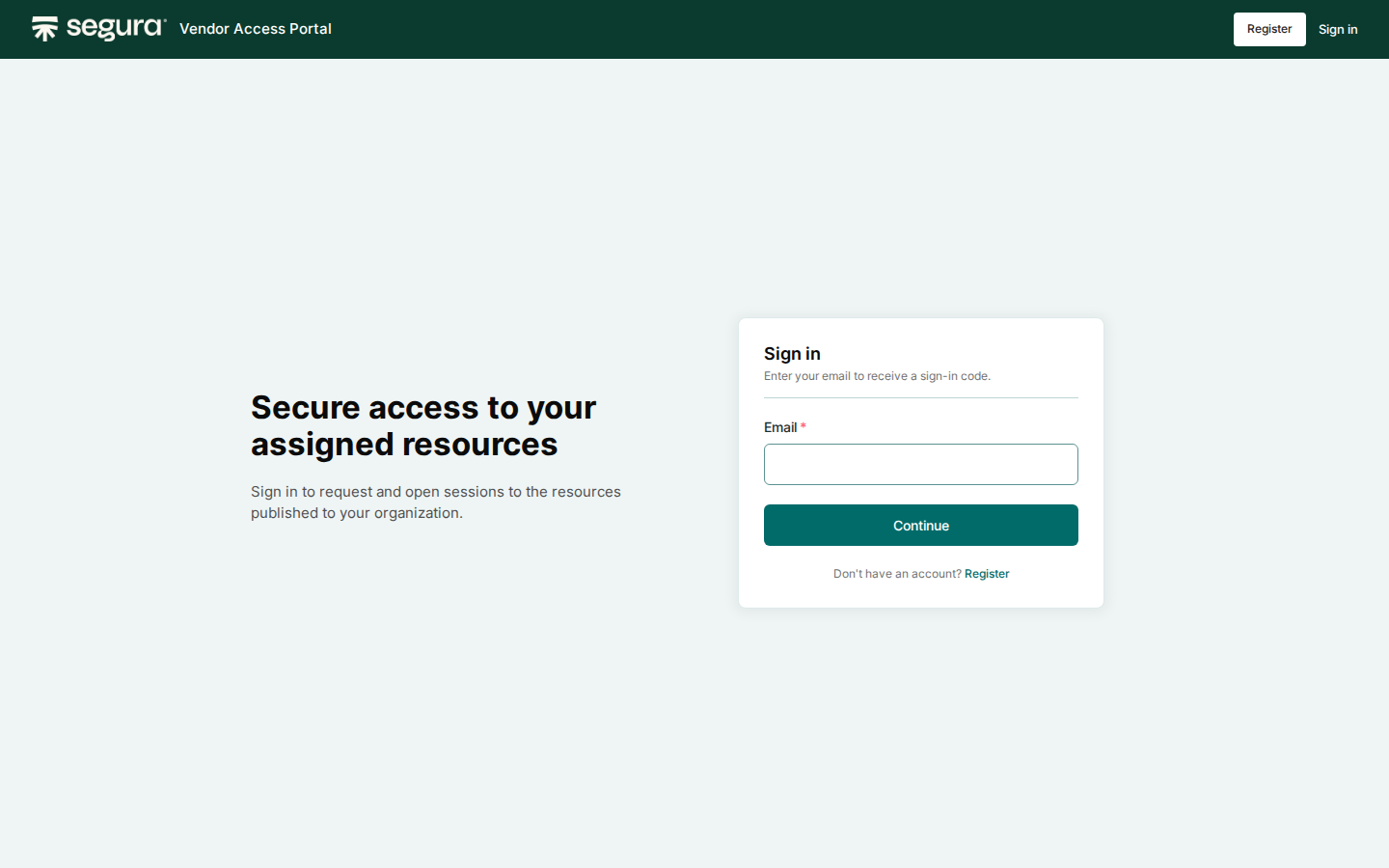
Vendor Access Portal: self-service, audited access for third parties
Domum Remote Access now includes the Vendor Access Portal, a self-service channel where vendors, MSP teams, and auditors register, authenticate, and request time-limited access to the resources you publish for them.
Previously, each third-party account depended on your team to create it. With the portal, registration and requests come from the third party, while approval, limits, and session control stay with your administrators.
The portal adds to the existing Domum flows and does not replace them. Both models coexist.
What's new
- Sign-in with an email address and MFA: a one-time code on the first sign-in, then an authenticator app.
- Access requests with a justification, a session duration within the resource's limit, and an optional ITSM ticket reference. An administrator reviews and releases each request, which then follows the organization's access policy.
- Portal-wide IP and geolocation allow-lists, enforced at sign-in and registration. Per-organization IP ranges and locations flag off-list sessions for threat review. Administrators set the days, hours, and session count of each access when they release it.
- Sessions through the Segura® Web Proxy, with no direct connection to the target, under the same session policies as other Domum sessions.
- Two portal roles with scoped permissions: Portal Configuration for settings, access restrictions, and published resources, and Portal Operator for reviewing registrations and access requests.
Customer impact
Onboarding a third party no longer depends on your team creating accounts by hand. Vendors register themselves and request what they need, and your administrators review registrations and requests instead of assembling each access manually. Every request carries a justification and, when available, a ticket reference.
Security controls stay in place throughout. Third parties see only what is published for their organization and connect only through the Web Proxy. Every session is recorded and audited to the same standards as other Domum sessions. For details, see Vendor Access Portal.
Changelog
API
Added
| Item |
Description |
| SSGR-12113 |
Added API v2 endpoints to query the Network Connector and its agents, including the agent identifier used to link a device to an agent. |
Fixed
| Item |
Description |
| SSGR-12000 |
Fixed an issue where an access policy created through the API did not keep every value sent in a criteria array. |
| SSGR-12114 |
Fixed an issue where the network_connector_id returned when reading a device was rejected when writing to the same field. |
Certificate Manager
Changed
| Item |
Description |
| SSGR-10875 |
Improved certificate publishing with the Nginx plugin so that service users in the sudoers group elevate privileges with their own password, without requiring NOPASSWD on the target server. See the documentation:
- How to configure Nginx.
- Publishing profiles. |
Fixed
| Item |
Description |
| SSGR-11517 |
Fixed an issue where certificate expiration notifications failed when a custom text was active. |
| SSGR-11596 |
Fixed the failure signing GoDaddy certificates with Network Connector enabled. |
Database Proxy
Fixed
| Item |
Description |
| SSGR-11089 |
Fixed an issue where a second simultaneous PostgreSQL session opened by the same user through Database Proxy showed the databases from their previous session. |
Discovery
Fixed
| Item |
Description |
| SSGR-11780 |
Fixed an issue where Microsoft CA certificate Discovery could run out of memory and stop when processing a high volume of certificates. |
| SSGR-11926 |
Fixed an issue where discovery scan results incorrectly showed enabled credentials and devices as disabled. |
| SSGR-11928 |
Fixed an issue where viewing a credential's details returned a server error instead of the account information. |
Domum Remote Access
Added
| Item |
Description |
| SSGR-6569 |
Added the Vendor Access Portal to Domum Remote Access, where third-party users register, authenticate, and request time-limited access to the resources an administrator publishes for them. See the documentation: Vendor Access Portal. |
EPM Windows
Fixed
| Item |
Description |
| SSGR-12101 |
Fixed an issue in how the EPM Windows agent retried sending events that had failed. |
| SSGR-12257 |
Fixed an issue where the multi-factor authentication window did not open for access lists that required it, which blocked the execution. |
| SSGR-12258 |
Fixed an issue where the agent log did not show whether each access list program execution was recorded. |
| SSGR-12262 |
Fixed an issue where the machine log did not show whether a privileged session was recorded. |
Framework
Fixed
| Item |
Description |
| SSGR-11991 |
Fixed an issue where the certificate installation in Orbit Server Manager failed when the selected file was not a valid certificate. |
MySafe
Fixed
| Item |
Description |
| SSGR-11677 |
Fixed an issue in how external sharing in MySafe applied the maximum sharing time defined by the administrator. |
PAM Core
Changed
| Item |
Description |
| SSGR-11897 |
Added an option to run Just-In-Time provisioning on the device the privileged session targets, instead of the device linked to the credential. Available for domain credentials that use Credential creation and deletion in the credential's JIT settings. See the documentation:
- How to configure a JIT credential
- How to use domain credentials |
| SSGR-12112 |
Added the agent identifier to the Network Connector agents screen, which provides the value required by the device endpoint. See the documentation: Network Connector. |
Fixed
| Item |
Description |
| SSGR-10691 |
Fixed an issue where the > character was not preserved when saving a Login expression, preventing the expression from matching at login. |
| SSGR-11233 |
Fixed an issue where the Drop session event was recorded more than once for the same session. |
| SSGR-11760 |
Fixed an issue where opening a third simultaneous RDP session from a downloaded .rdp file failed to authenticate. |
| SSGR-12055 |
Fixed an issue where certain credentials could not be opened for editing in PAM Core > Credentials > All credentials. |
Proxy
Changed
Fixed
| Item |
Description |
| SSGR-10604 |
Fixed an issue where RDP Gate sessions were dropped after the user confirmed the message about waiting for session approval. |
| SSGR-11437 |
Fixed an issue where VNCHTTP sessions started from the Desktop screen or the search bar opened at a reduced resolution. |
| SSGR-12062 |
Fixed an issue where the credential selection screen in RDP Proxy stopped responding after a message was closed. |
Task Manager
Fixed
| Item |
Description |
| SSGR-11873 |
Fixed an issue where Task Manager execution failures triggered the credential-exchange error notification instead of the new dedicated "Task Manager Execution Error" event. |